 SynthMock
A considered frame for serious work.
MacBook Pro 14-inch
mockup generator.
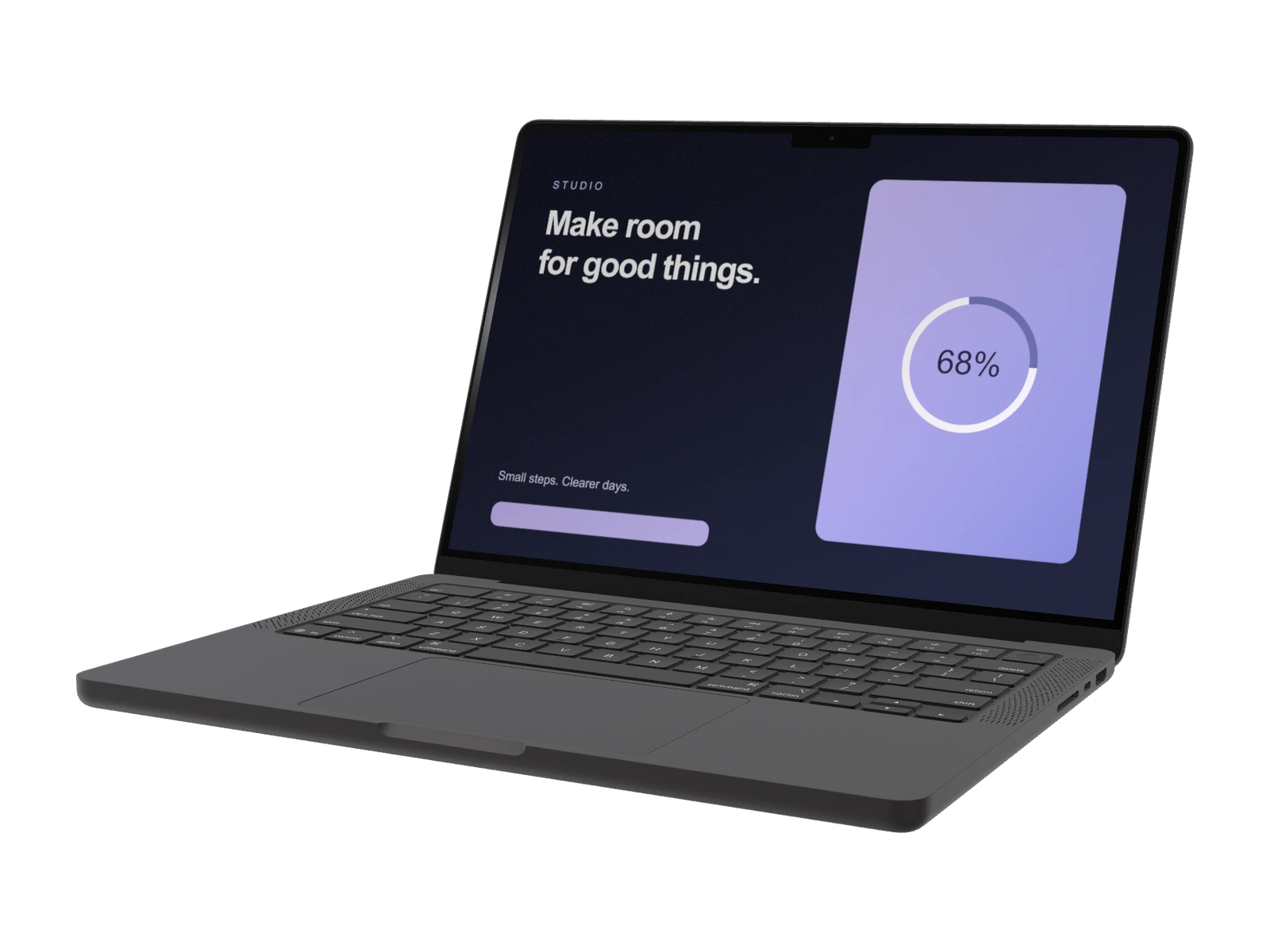
Create MacBook Pro 14-inch mockups for web apps, creative tools and desktop interfaces. Customize Space Black or Silver, the lid angle and the camera around your artwork.
Pro model. A paid plan is required to use this model and export.
Made for this model
Start with the right canvas.
- Recommended artwork
- 3024 × 1964 px
- Available finishes
- Space Black, Silver
Artwork dimensions are width × height for the default SynthMock screen layout. They describe the mockup canvas, not the device's physical display specifications.
Useful for
- SaaS product launches
- Creative software showcases
- Responsive website case studies
Your scene, your decisions
Find a considered angle.
Build the composition around the central task in your app. A restrained three-quarter camera angle shows the keyboard and screen together; move closer when the interface contains detailed panels.
- Camera rotation, position and framing
- Lighting, reflections and backgrounds
- Adjustable lid: 0°–135°
Create in your browser
From your screen to the scene.
- 01
Open MacBook Pro 14-inch
The create button selects this model in the editor. Choose Space Black, Silver to complement your artwork.
- 02
Add your interface
Upload a sharp screenshot at 3024 × 1964 px for the default canvas. Refine the crop, camera and lighting until the important details read clearly.
- 03
Finish your presentation
Choose a background and output dimensions. Use a paid plan to export a PNG, JPEG or WebP image, or build an animated sequence in the web editor.
Choose with confidence
Compare MacBook mockup options.
| Model | Artwork dimensions | Finishes |
|---|---|---|
| MacBook Pro 14-inch | 3024 × 1964 px | Space Black, Silver |
| MacBook Neo | 2408 × 1506 px | Silver, Blush, Citrus, Indigo |
| MacBook Air 13-inch | 2560 × 1664 px | Silver, Midnight, Starlight |
| MacBook Pro 16-inch | 3456 × 2234 px | Space Black, Silver |
| MacBook Pro M3 16-inch (2024) | 3456 × 2234 px | Titanium, Silver, Matte Black |
Good to know
Before you create.
How do I create a MacBook Pro 14-inch mockup?
Open the MacBook Pro 14-inch model in SynthMock, add your screen artwork and adjust the camera, body finish, lighting and background. A paid plan is required to export the finished image or video and access this Pro model.
How does the 14-inch mockup differ from the 16-inch?
The 14-inch model uses a 3024 × 1964 px artwork canvas. The 16-inch models use 3456 × 2234 px. For a crisp comparison, export artwork for each canvas and keep the camera framing and background consistent.
What image size works best for MacBook Pro 14-inch?
Prepare artwork at 3024 × 1964 px, width × height, for the default screen layout. These are recommended dimensions for the SynthMock mockup canvas, not hardware specifications. Check the crop after changing orientation and use a sharp source image so interface text remains readable.
Which MacBook Pro 14-inch finishes are available?
This SynthMock model offers Space Black, Silver. Choose your finish in the editor, then adjust the lighting to make the device edge distinct from the background.
Can I use this mockup in a product video?
Yes. The SynthMock web editor supports multiple shots and animated camera movement. Start with a clear still composition, then add motion to showcase your interface. A signed-in account with a paid plan is required for image and video exports.
Keep exploring
Another angle on your work.
Make it your own
Your next MacBook Pro 14-inch mockup starts here.
Bring your artwork. Shape the scene. Create a visual that makes your product the focus.