 SynthMock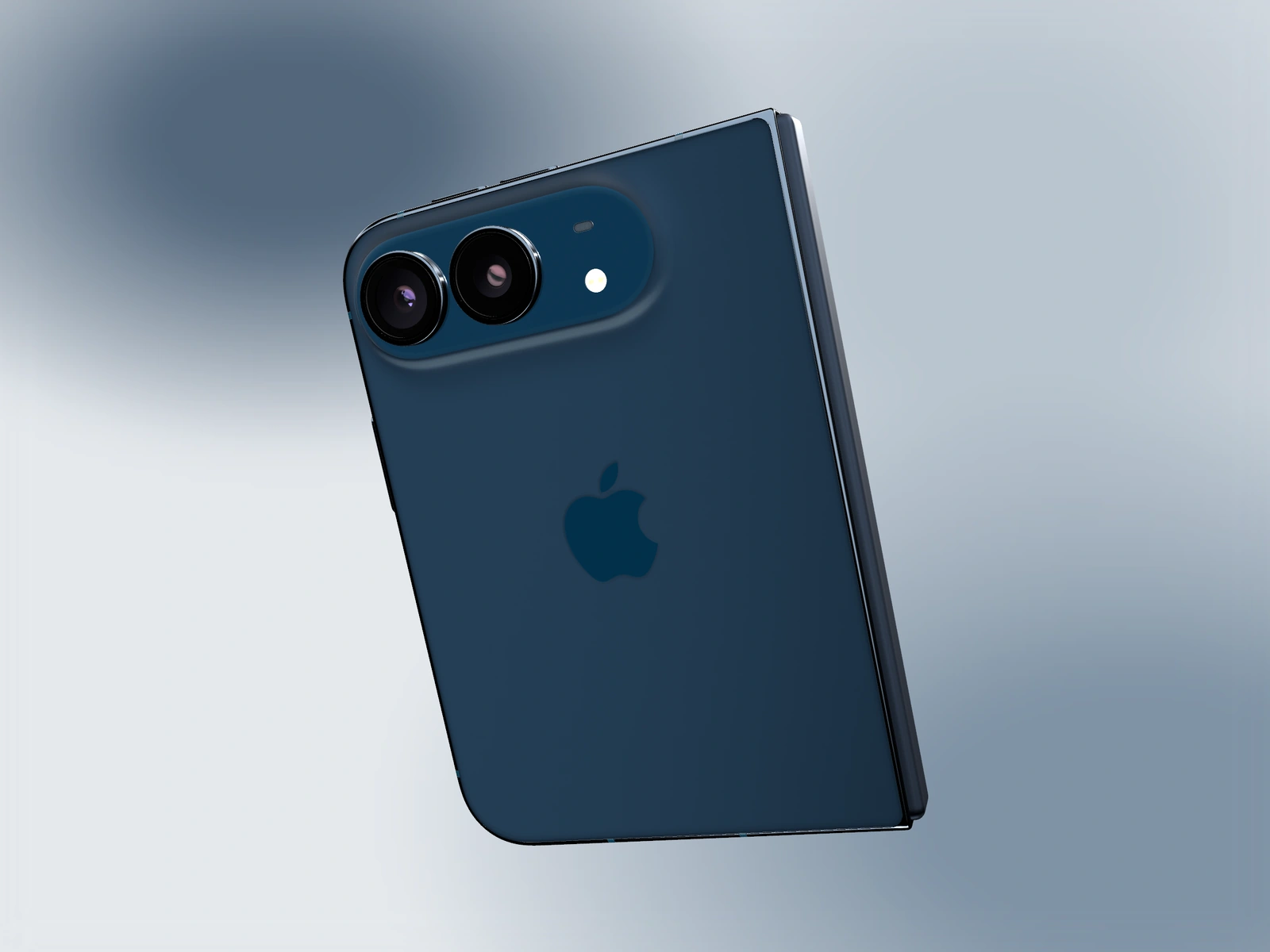
The rear logo is part of the model’s material presentation. Reveal it with a useful camera and light angle rather than painting over the device or overexposing the whole back.
Try it in SynthMock
Start with a Duo scene.
Use a reusable template as your starting point, then apply the choices in this article.
A paid plan is required to use templates and export.
Make the rear surface visible
Choose a closed or partially folded pose that exposes the rear panel. Use Camera Tilt controls to face that surface toward the viewer. Keep enough of the silhouette visible that the frame reads as a phone rather than an abstract crop of metal.
The logo can be subtle because its appearance depends on the surrounding surface and reflections. A completely uniform bright panel can make it harder to distinguish, even when it is facing the camera.
Shape the contrast around the mark
Work with the actual native material. The aim is to reveal its existing detail, not make the logo an artificial light source or change the geometry.
- Pause at the intended rear-facing camera angle.
- Inspect the logo at a useful preview size, with the rear panel fully loaded.
- Adjust Light Rotation to move a reflected highlight across the back and frame.
- Refine Key Light Rotation and Height, then reduce excessive intensity if the panel loses detail.
- Check the camera rings, outer rail and logo together so the materials remain coherent.
Give the hardware shot a clear role
A rear detail can establish the device and its finish, but it does not demonstrate the app. In a promo sequence, follow it with a screen-led shot that preserves the same finish and lighting identity. Keep the rear moment brief enough for the audience to understand why it is there.
If the logo is visible at full resolution but disappears in a thumbnail, use a closer rear shot or change the contrast through lighting. Do not sharpen or brighten only the logo in a way that misrepresents the native renderer. Inspect the final downloaded frame to confirm that the detail survives delivery.
Final pass
Before you call it finished
- The rear panel and logo face the viewer clearly.
- Lighting reveals the existing material without clipping it.
- The sequence still includes a useful view of the app screen.
Make the next version yours.
Explore Duo templates ↗