 SynthMock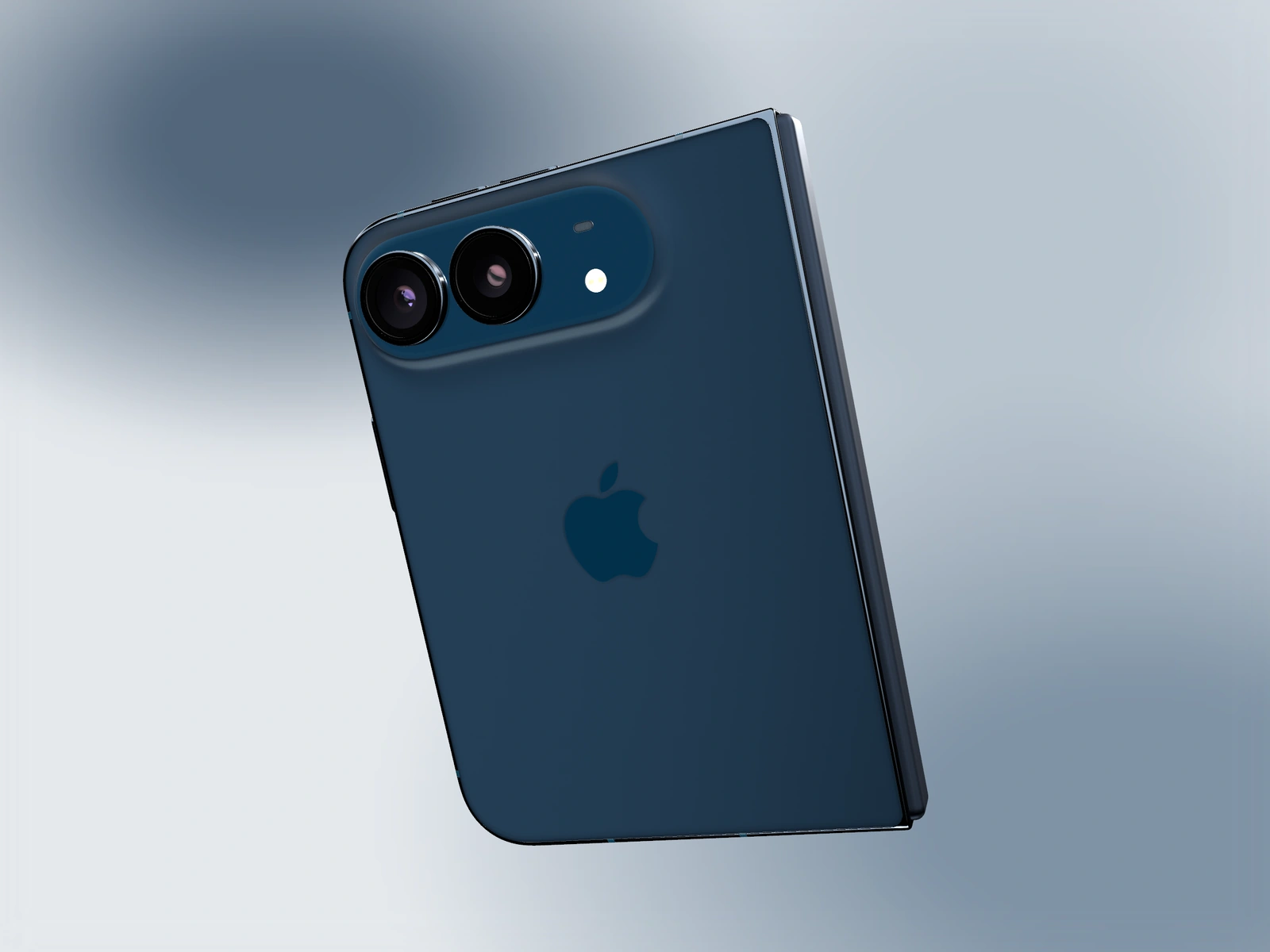
A rear view can explain the device's shape and finish. In an app campaign, it should have a defined role and a clear route back to the screen; otherwise the hardware becomes a detour from the product.
Try it in SynthMock
Start with a Duo scene.
Use a reusable template as your starting point, then apply the choices in this article.
A paid plan is required to use templates and export.
Give the rear view a specific reason to exist
A launch visual about the new foldable form can reasonably include the camera side, hinge and logo. These details orient the viewer and establish that the screen belongs to a physical device. A feature announcement about a budgeting chart has less reason to spend its strongest moment on the back of the phone.
Write the purpose in the storyboard. For example: this view establishes the Star White finish before we return to the open planning screen. That sentence gives the shot a boundary. It also prevents an attractive material render from consuming time that the interface needs for explanation.
Choose its place in the campaign
The same rear render can do different work depending on placement. Choose the role that supports the campaign’s main message.
| Use | Role | Necessary companion |
|---|---|---|
| Secondary still | Show finish and physical detail | An open, readable product hero |
| Brief motion transition | Explain the orbit or fold in space | A continuous return to the screen |
| Hardware-focused announcement | Lead with the object's character | Copy that clearly names what is being promoted |
Let the native material describe the logo
If the rear logo is difficult to distinguish, adjust the scene's light direction and camera rather than painting a brighter mark onto the asset. The logo should remain part of the material. A reflection can reveal its shape, while a fully bright patch may erase the distinction you were trying to create.
Review the entire turn if the back appears inside motion. A useful rear frame surrounded by awkward edge-on moments can still weaken the sequence. Give the orbit an intentional arc and inspect how the cover or inner display re-enters the view. A sensible deliverable pairs the rear detail with an open hero using the same finish and background. The pair communicates hardware and software without asking the rear image to imply features it cannot show.
Final pass
Before you call it finished
- Write a specific role for the rear view.
- Keep native logo and material treatment intact.
- Return to a readable screen when promoting the app.
Make the next version yours.
Explore Duo templates ↗